
What Should You Never Automate in a Business?
By the Streamline Creative team · Published
Automation saves real time when it is pointed at the right work. Pointed at the wrong work, it hides problems, frustrates clients, and creates new maintenance jobs. This guide covers where human judgment, empathy, flexibility, and context still matter, and how to tell the difference before you build anything.
What should you never automate in a business?
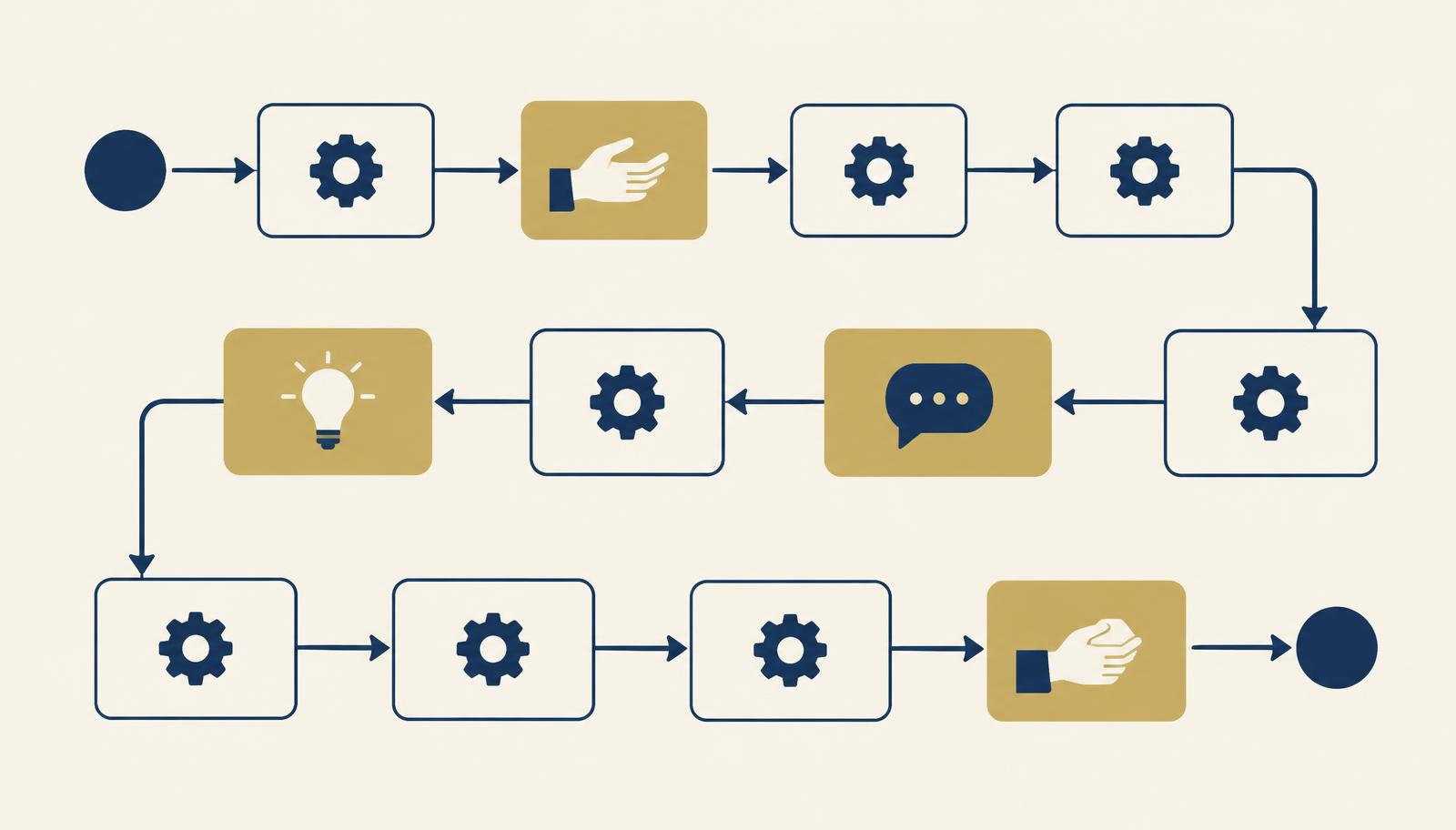
Avoid fully automating processes that are not clearly defined yet, sensitive client conversations, high-judgment decisions, rare tasks with little time savings, and work that depends on creativity or nuance. In most of these cases, automation can still support the people doing the work, for example with reminders or data collection, but a person should stay in charge.
Key takeaways
- Repetitive does not automatically mean automatable. Judgment and context matter too.
- Do not automate confusion. Standardize a process before you automate it.
- Sensitive conversations and high-judgment decisions should stay human, with automation in a support role.
- Every automation has a maintenance cost and needs a named owner.
- If an automation makes the client experience worse, it is not saving you anything.
This article is the other side of two guides we have already written. What Should You Automate First? explains how to choose and prioritize, and Business Processes to Automate lists common good candidates. Here we focus on where to slow down.
Why shouldn’t a process be automated just because it is repetitive?
Repetition is the reason most people start looking at automation, and it is a good signal. It is just not the only one. A task you do every day might still need you to read the situation, choose the right tone, or notice that something looks off.
Before automating a repetitive task, ask three more questions: does it follow the same rules every time, would a mistake be easy to spot, and does the person receiving it care whether a human was involved? If the answer to any of these is no, consider automating only part of it.
Example: sending a weekly report is repetitive and rule-based, so the gathering and sending can be automated. Writing the two-line summary of what the numbers mean is repetitive too, but it needs judgment, so it stays with a person.
Why shouldn’t you automate a process that is not clearly defined?
Do not automate confusion. If a process changes from week to week, or two people on the team would describe it differently, automation will lock in one version of it, often the wrong one. When something goes wrong, nobody will be sure whether the problem is the automation or the process.
Signs a process needs standardizing first:
- Nobody can write the steps down from start to finish.
- The steps depend on who is doing the task that day.
- The process has changed more than once in the last few months.
- People regularly ask “how do we do this again?”
Run it manually for a few cycles, document it in a simple SOP, and agree on one version. Then automation has something stable to build on. Our operations systems solution shows what that foundation can look like.
Should sensitive client conversations be automated?
Generally no. These are the moments where clients decide whether they trust you, and a templated or automated reply can feel dismissive even when it is polite. Keep a person central in:
- Complaints and expressions of frustration
- Difficult feedback, in either direction
- Conflict or disagreement about scope, timing, or quality
- Sensitive account issues such as billing disputes or cancellations
- Complex relationship conversations, like changing how you work together
Automation can still help in the background. It can flag a message that contains a complaint, assign it to the right person, remind them to reply, and log the outcome. What it should not do is write or send the response on its own.
Which decisions need human judgment rather than rules?
Automation follows rules. Some decisions depend more on context than on rules: whether to make an exception for a long-term client, how to prioritize two urgent requests, whether a deliverable is good enough to send, or whether to take on a new project.
A useful approach is to automate the information gathering and leave the decision with a person. For example, a system can collect a request, attach the client’s history, and put it in front of the right decision maker, who then makes the call.
Is it worth automating rare tasks?
Usually not. Every automation has a cost beyond setup: it needs testing, it can break when a tool updates, and someone has to remember how it works. A task that happens twice a year rarely saves enough time to cover that cost, and when it does break, nobody remembers how to fix it.
For rare tasks, a short SOP or checklist is often the better tool. It costs little to maintain and helps whoever does the task next time. If you are unsure which format fits, see SOP vs Checklist vs Workflow.
What about processes with too many exceptions?
If a process has a standard path but half the cases go off it, automation will either handle the exceptions badly or need so many conditions that it becomes fragile and hard to maintain.
Automate the standard path and route the exceptions to a person. If the exceptions keep growing, that is a sign the process itself may need to be simplified rather than the automation made more complicated.
Can creative or nuanced work be automated?
Tools can help with drafts, formatting, scheduling, and resizing. The parts that make creative work valuable, such as understanding the audience, choosing the angle, matching the brand voice, and knowing what to leave out, still depend on people.
In content work, a sensible split is to automate the operations around the work (publishing schedules, handoffs, approval reminders, file organization) and keep the thinking and final review human.
Why does every automation need an owner?
Automations do not stay correct on their own. Tools change, forms get edited, team members leave, and an automation that worked last month can quietly stop working or start sending the wrong thing. If nobody owns it, nobody notices.
For every important automation, agree on:
- Who owns it and who to tell when something looks wrong
- What it does, written down in one or two sentences
- How often it is checked, such as a quick monthly review
- What happens if it stops working, including the manual fallback
If you cannot name an owner, it is a sign the automation is not ready to go live.
Should you automate processes that rely on poor or unreliable data?
Not until the data is cleaned up. Automation moves information faster, including wrong information. Duplicate contacts, inconsistent naming, outdated client details, or forms that allow free-text answers where you need specific values will all spread through every connected tool.
Clean up the source first, add simple rules to keep it clean (required fields, dropdowns instead of free text), and then automate.
When does automation create a worse client experience?
The clearest test of an automation is how it feels on the receiving end. Some practical examples of automation that backfires:
- A client replies to an automated email with a question, and nobody sees it because the inbox is not monitored.
- A “we miss you” message is sent to a client who just cancelled after a bad experience.
- Payment reminders keep sending after the client has already paid or agreed on a different arrangement.
- A client cannot reach a person because every path leads to another form.
- A welcome sequence repeats information the client already discussed on a call, making it clear nobody passed it on.
The fix is usually not removing automation altogether. It is adding a clear way to reach a person, stopping sequences when a client’s situation changes, and reviewing what clients actually receive.
Decision table: should this process be automated?
| Process characteristic | Automate? | Why |
|---|---|---|
| Highly repetitive and rule-based | Usually yes | Same steps every time, easy to check, and saves time quickly. |
| Frequent but judgment-heavy | Partially | Automate the admin and data gathering, keep the decision with a person. |
| Sensitive client communication | Usually keep human | Tone and trust matter more than speed. Use automation only to route and remind. |
| Rare and complex | Usually no | Maintenance cost outweighs time saved. A short SOP works better. |
| Many exceptions | Partially | Automate the standard path, send exceptions to a person. |
| Relies on messy or unreliable data | Not yet | Clean the data first, or errors spread across tools. |
| Broken or undefined process | Not yet | Standardize it manually first so automation has something stable to follow. |
What should you do before automating a process?
A simple sequence keeps automation from getting ahead of the process:
- Understand. Watch how the process actually runs today, including the workarounds and the steps people skip.
- Standardize. Agree on one version and write it down, even as a short checklist.
- Test. Run the standardized version manually for a few cycles and fix what does not work.
- Automate. Automate the stable, rule-based steps first and keep human checkpoints where judgment matters.
- Monitor. Name an owner, check results regularly, and adjust when the process or tools change.
If you would like to see how this looks in practice, our automation workflows solution shows how automation can be layered onto a well-defined process with people still in the loop.
Frequently asked questions
What tasks should never be automated?
Tasks that depend on judgment, empathy, or context, such as handling complaints, giving difficult feedback, making exceptions, or approving unusual requests. Processes that are undefined or built on unreliable data should also wait until they are fixed.
Can customer service be automated?
Parts of it can. Confirmations, status updates, routing, and answers to simple repeat questions often work well automated. Complaints, frustrated clients, and complex issues should reach a person quickly, and clients should always have an easy way to get one.
Should every repetitive task be automated?
No. A repetitive task is a good candidate only if it is also rule-based, frequent enough to save meaningful time, and easy to check. Repetitive tasks that still need judgment each time are better partially automated or simplified with a checklist.
When is automation not worth it?
When the time to build, test, and maintain it is greater than the time it saves, when the process changes often, or when errors would be hard to notice. Rare tasks are often better handled with a short SOP.
Should you automate a broken process?
No. Automating a broken process makes the same mistakes happen faster and makes them harder to see. Fix and standardize the process manually first, then automate the stable, repeatable parts.
Explore Automation Workflows
See how repetitive steps can be automated while the conversations and decisions that matter stay with your team.
Explore Automation WorkflowsWant help putting this into practice?
You do not need to know exactly what solution you need. Tell us where the work gets stuck and we will take it from there.
Tell us what’s not working