
Client Onboarding for Coaches: A Step-by-Step Process + Automation Ideas
By Princess Nicole Denosca · Published
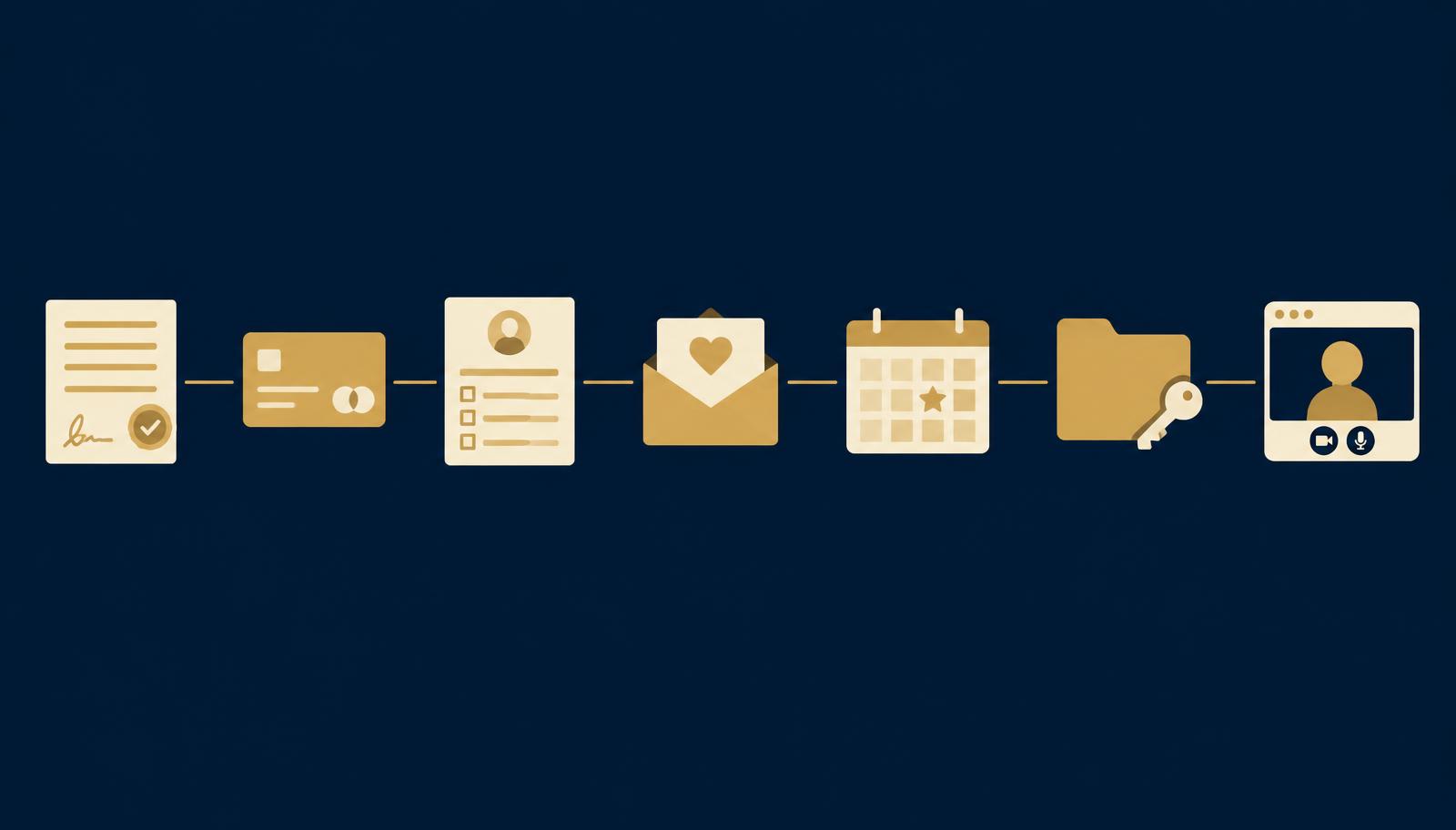
A good coaching client onboarding process should move a new client from “yes” to “ready to begin” without requiring constant manual follow-up. For most coaching businesses the basic flow looks like this: client says yes, agreement, payment, intake, welcome, scheduling, access, first session, follow-up. The problem is rarely that coaches do not care about onboarding. It is that the process grows one tool and one manual step at a time, until you are sending the same emails, checking payments, chasing forms, and answering the same questions every week. This article walks through a simpler version of that process.
What is a coaching client onboarding process?
It is the full transition from a prospect becoming a client to that client being fully prepared to start: agreement, payment, intake, welcome communication, scheduling, access, first-session preparation, and follow-up. A strong process answers the client’s next question before they need to ask it.
Key takeaways
- Onboarding starts when a prospect says yes and ends when the client is ready for the first session, not when a welcome email goes out.
- Automate steps that are repetitive, predictable, rule-based, and low-risk: payment confirmation, welcome emails, intake delivery, reminders, CRM updates, access, and task creation.
- Keep goal conversations, sensitive conversations, personalised feedback, and coaching itself human.
- Most onboarding friction comes from an unclear sequence, not from missing tools.
- Write the process down, remove what is unnecessary, standardise the rest, then automate only what is already stable.
This article is written for coaches, consultants, and other service business owners who run onboarding themselves or with one assistant. If you want the wider, any-industry version of the same topic, our client onboarding guide covers it in more depth.
What does client onboarding look like in a coaching business?
Onboarding begins the moment a prospect becomes a client. It ends when that client is fully prepared to start the service. That is a longer span than most coaching businesses treat it as. It is not only sending a welcome email, booking a call, or giving someone access to a portal. Those are three tasks inside it. Onboarding is the whole transition into the working relationship.
In practice it has seven jobs:
- Confirm the agreement.
- Confirm payment.
- Collect the information you need before coaching begins.
- Set expectations on timing, communication, and scope.
- Provide access to materials, community, or portal.
- Schedule the next step.
- Make the client feel prepared rather than processed.
A strong onboarding process answers the client’s next question before they need to ask it.
That one line is a useful test for anything in your process. If a step leaves the client wondering “so what now?”, it is either unfinished or it needs one more sentence.
A simple coaching client onboarding workflow
Here is a workflow that fits most coaching offers, from a single session to a multi-month package. Each step has a clear trigger, so nobody has to remember what comes next.
Client says yes
The client confirms they want to move forward: proposal accepted, application approved, sales call completed, or checkout completed. This is the trigger for everything after it.
Agreement
The coaching agreement or service contract is signed. Keep it easy to access, tell the client what happens after signing, and store the signed copy somewhere you can find later.
Payment
The agreed payment or deposit is completed. Payment confirmation is the cleanest trigger for the rest of onboarding, because it is a fact rather than a memory.
Intake
Collect what you need before coaching begins: goals, current challenges, background, expectations, preferences, and any relevant business information.
Welcome
Send one clear message explaining what happens next, where communication happens, how scheduling works, and what the client should prepare.
Scheduling
Provide the correct booking link or the session details. Avoid back-and-forth where a link can do the job.
Access
Give access to the client portal, community, shared folder, materials, or communication channel this client actually needs.
First session prep
Make sure both sides are ready: you have the intake answers in front of you, and the client knows what to bring and what the session covers.
First session
The coaching itself begins. Everything before this point exists so this conversation can start with context instead of admin.
Follow-up
Send next steps, notes, homework, reminders, or relevant resources, and confirm the next session while it is fresh.
The order matters more than the number of steps. Payment before intake, or intake before agreement, both create rework. If your current process runs in a different order, that is often the first thing worth changing, because it costs nothing.
Worked example: one client’s first week
The example below is illustrative, not a real client. It shows what the workflow looks like when the steps are connected instead of remembered.
Illustrative example
A 12-week business coaching client, first week
- Trigger
- Checkout completed Friday at 4:10pm for a 12-week package.
- Agreement
- E-signature request sent automatically. Client signs the same evening. Signed copy filed in the client folder without anyone being asked.
- Payment
- Deposit clears. Payment confirmation marks the CRM record as Paid and starts the onboarding sequence.
- Intake
- Intake form sent with the welcome email: goals, current challenges, past attempts, preferred contact channel. Due in three days, with one reminder on day two.
- Welcome
- One email covering what happens next, where to reply, how scheduling works, and what to have ready for session one.
- Scheduling
- Booking link with the coach’s real availability. Client books Tuesday at 10am. No emails about times.
- Access
- Portal invite and shared folder link sent with the welcome email, so nothing waits on a manual step.
- First session prep
- Reminder sent 24 hours before. Intake answers saved to the client record so the coach reads them instead of asking again.
- First session
- Session one starts with goals already on the table.
- Follow-up
- Notes and homework sent the same day. Session two confirmed. Client moved to Active.
Nothing in that week needed the coach to remember anything. The work went into designing the sequence once, not into chasing it every time.
Where coaching client onboarding usually breaks
Most onboarding complaints are the same eight problems wearing different clothes. Each one has an ordinary cause and an unglamorous fix.
| What goes wrong | What usually causes it | A simple improvement |
|---|---|---|
| The client pays but does not know what happens next. | Payment and onboarding live in different tools, and nobody sends the bridge message between them. | Send one welcome message the moment payment clears, naming the next three steps and who does each one. |
| The intake form is sent manually and never completed. | It goes out when the coach remembers, with no deadline and no reminder attached. | Send it automatically with a due date, and one reminder two days before that date. |
| The coach keeps checking whether payment was received. | Confirmation is read from a dashboard or an inbox instead of being passed on. | Let payment confirmation trigger the workflow, so a paid client is marked without anyone looking. |
| The client receives multiple disconnected emails. | Each message was added separately over time, so nothing was ever merged. | Combine them into one welcome message plus one reminder, each with a subject line that says what it is about. |
| Scheduling creates unnecessary back-and-forth. | Times are negotiated by email instead of being offered. | Share a booking link with real availability, or send session details inside the welcome message. |
| Clients ask the same questions repeatedly. | The answers were never written down in one place they can revisit. | Put those answers in the welcome message and a short FAQ, and link both wherever the question comes up. |
| Access to programs, communities, or folders is delayed. | Access is a manual step with no owner and no due date. | Make access a named task with a due date, or grant it automatically off the payment trigger. |
| The coach has no clear view of who has completed each step. | Onboarding status lives across email, spreadsheets, and memory. | Keep one client record with stages, so each client shows what is done and what is waiting. |
Notice how few of these need new software. Most need one clear owner, one message, or one trigger.
What should you automate in a coaching onboarding process?
Automate a step when it is repetitive, predictable, rule-based, and low-risk. If a step needs you to decide something, it is not ready to be automated yet. That single test rules out most of the automation projects that end up making things messier.
Steps that usually qualify in coaching onboarding:
- Payment confirmation and marking the client as paid.
- The welcome email.
- Sending the intake form and reminding if it is incomplete.
- Delivering the scheduling link.
- Updating the CRM stage and adding a tag.
- Creating the client record and the onboarding tasks.
- Granting course or community access.
- Creating the client folder.
- Internal notifications, such as “new client needs a session”.
- Reminder and follow-up emails.
| Process | Can it be automated? | Keep human? | Notes |
|---|---|---|---|
| Payment confirmation | Yes | No | Can trigger the rest of the onboarding workflow. |
| Welcome email | Mostly | Yes | Automate delivery, but keep the tone personal. |
| Intake form | Yes | No | Send automatically and remind if incomplete. |
| Scheduling | Yes | No | Use booking links where appropriate. |
| First-session preparation | Partly | Yes | Automate reminders, personalise the preparation. |
| Goal discussion | No | Yes | Requires judgment and conversation. |
| Coaching relationship | No | Yes | Should remain human. |
If you are deciding where to begin, our piece on what to automate first walks through picking the first one, and business processes worth automating lists the common candidates across a business.
What should stay human?
The reason some coaches resist automation is a good one: they have seen what happens when a client gets a robotic sequence instead of a person. That is a design failure, not a reason to keep doing admin by hand. Keep these human:
- Understanding what the client actually wants.
- Sensitive conversations and anything emotionally important.
- Personalised feedback.
- Exceptions, where the rule does not fit.
- Conflict resolution.
- Major decisions.
- Coaching itself.
Automation should remove repetitive admin work, not remove the relationship.
A practical way to hold the line: every automated message should still read as if you wrote it for one person, and every client should always know how to reach you directly.
What tools can support coaching client onboarding?
Tools matter less than the workflow. The categories below are what each part of the process usually needs, with common examples. You do not need all of them.
| Category | Common examples | What it handles |
|---|---|---|
| Payments | Stripe, PayPal, PayMongo, other payment platforms | Collects the fee or deposit and confirms it happened. |
| CRM | GoHighLevel, HubSpot, other CRM systems | Holds the client record and shows which stage they are in. |
| Forms | Google Forms, Typeform, Jotform, CRM forms | Collects intake answers in a consistent shape. |
| Scheduling | Calendly, Google Calendar, CRM booking systems | Turns “when are you free” into a link. |
| Project / task management | ClickUp, Asana, Monday.com | Holds onboarding tasks, owners, and due dates. |
| Automation | Make, Zapier, native CRM automations | Connects the tools so one event starts the next step. |
| Course / community | Systeme.io, Skool, GoHighLevel memberships, other LMS tools | Delivers materials and access. |
Many coaching businesses start with three: a way to get paid, a way to collect information, and a way to schedule. Add the rest only when a real step is missing, not because the tool exists.
A simple coaching client onboarding checklist
Use this as a confirmation list. The workflow above is the map; this is the daily check that nothing was skipped.
Before onboarding
- Offer agreed.
- Contract ready.
- Payment method ready.
Once the client says yes
- Agreement signed.
- Payment confirmed.
- Client added to the CRM.
- Intake form sent.
- Welcome email sent.
- Communication channel confirmed.
- Scheduling completed.
- Required access granted.
- Internal tasks created.
- First session prepared.
After the first session
- Notes stored.
- Follow-up sent.
- Next session confirmed.
- Client moved to an active stage.
If you want the longer, industry-neutral version of this list, see our client onboarding checklist.
How to know if your coaching onboarding process needs work
You do not need a audit to know onboarding is costing you time. These signs are usually enough:
- You send the same emails manually every week.
- Clients regularly ask what happens next.
- Forms are frequently incomplete.
- Sessions are booked before required information is collected.
- Client information lives in several places.
- Access is often delayed.
- You rely on memory to follow up.
- You are not sure who has completed onboarding.
- Your assistant needs to ask you what to do each time.
- Onboarding feels different for every client.
If several of these sound familiar, the problem may not be your clients. The process may simply need a clearer system.
A better onboarding process does not need to be complicated
The goal is not a large automation system. It is a sequence you can describe out loud, that produces the same experience for every client, with as few manual touches as possible. That is reached in this order:
- Write down the current process as it actually runs.
- Remove steps that no longer earn their place.
- Standardise the steps that repeat.
- Decide what should stay personal.
- Automate only where it is useful.
- Test the experience as if you were the client.
- Improve it over time.
Understand
Write down what happens today, including the steps you do without thinking.
Simplify
Remove steps that no longer earn their place and messages that repeat each other.
Standardise
Write the repeatable parts once: the sequence, the messages, the checklist.
Automate
Connect the stable, repetitive steps so one event starts the next.
Test
Run it as if you were the client and note every point where you wondered what was next.
Improve
Fix what the test revealed, then review again after the next few clients.
Skipping straight to “automate” is the most common mistake. Automating a messy process gives you a faster messy process, and it is harder to fix once the rules are wired in.
When it may be time to get help
If your coaching business is growing and onboarding is becoming more manual, scattered, or difficult to manage, adding another tool may not solve the problem. The better starting point is understanding where the friction actually lives.
That may involve:
- Reorganising the workflow.
- Improving the client experience.
- Connecting the tools you already have.
- Building the automations that are worth building.
- Documenting the process so someone else can run it.
- Creating a clearer system for your team.
Streamline Creative helps businesses simplify these kinds of workflows through practical operations and automation support. Our client onboarding example shows how intake, tasks, ownership, and communication can fit together, and you can always tell us what’s not working if you would rather start with a conversation.
Frequently asked questions
What should be included in a coaching client onboarding process?
Agreement, payment, intake, welcome communication, scheduling, access, first-session preparation, and follow-up. Together these move a client from saying yes to being fully prepared for the first session.
Can coaching client onboarding be automated?
Yes. Repetitive steps such as payment confirmation, welcome emails, intake delivery, reminders, CRM updates, access, and task creation can often be automated. Personalised coaching and relationship-based communication should remain human.
What is the best CRM for a coaching business?
There is no single best CRM for every coach. The right system depends on the size of the business, the sales process, the client journey, the integrations you need, and how much automation you actually use.
How do I improve my coaching client experience?
Start by making the next step clear, reducing unnecessary back-and-forth, standardising repeatable processes, keeping communication consistent, and making sure clients always know what happens next.
See where your onboarding stands
If onboarding has become a pile of manual steps, take the free Health Check to see which area to review first, or tell us where it stalls and what it costs you. We will help you see what is worth fixing first.
Take the free Health CheckWant help putting this into practice?
You do not need to know exactly what solution you need. Tell us where the work gets stuck and we will take it from there.
Take the free Health CheckRather write to us? Tell us what’s not working and we’ll reply with a clear next step.